Array Row Label
A utility component for PayloadCMS that provides customizable labels for array field items with template syntax and fallback support.
Info
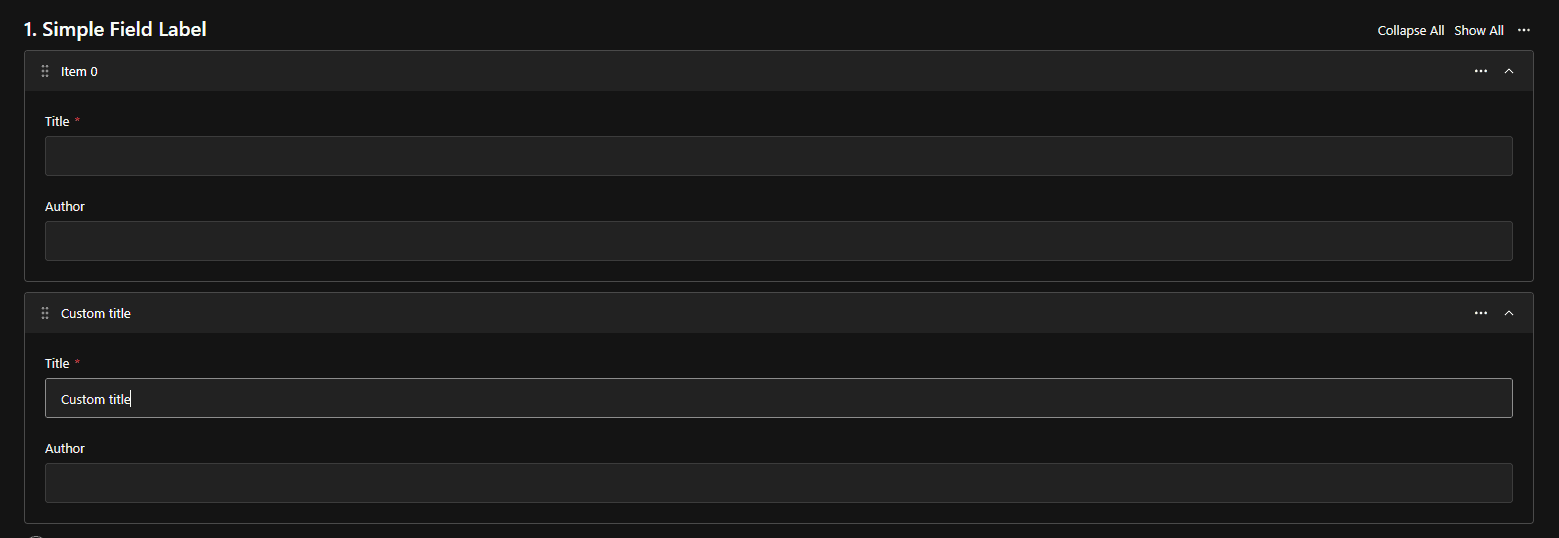
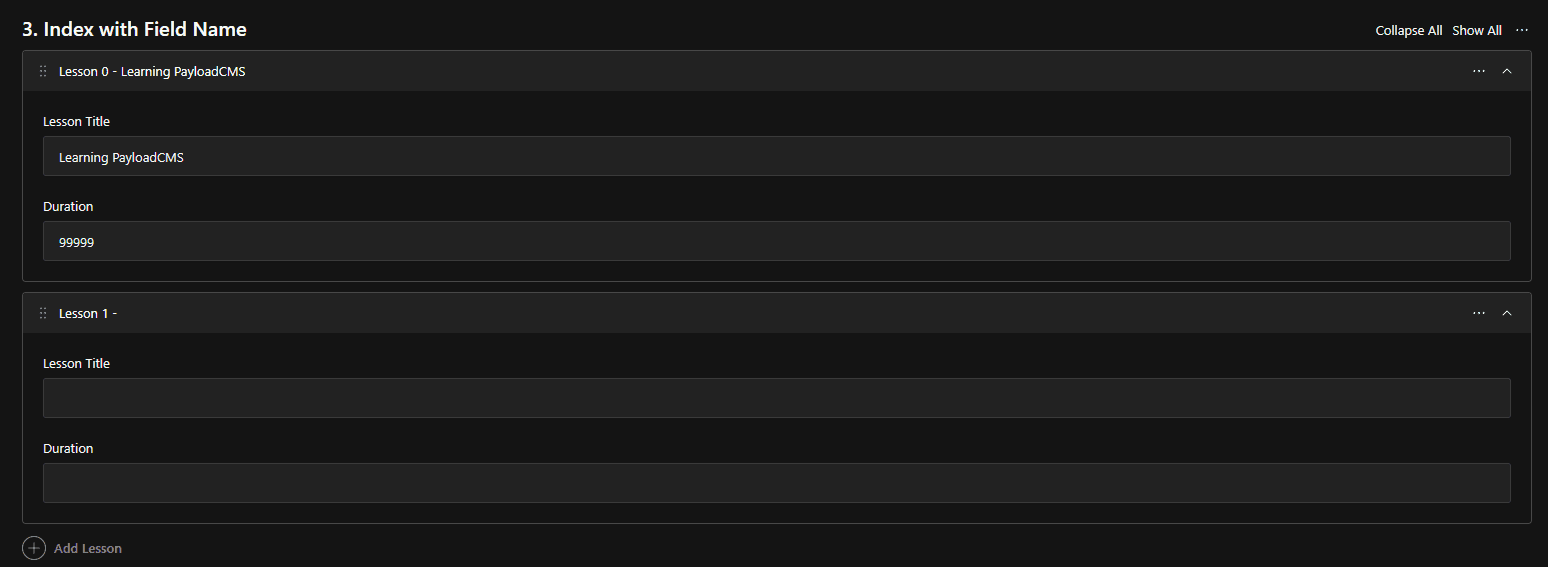
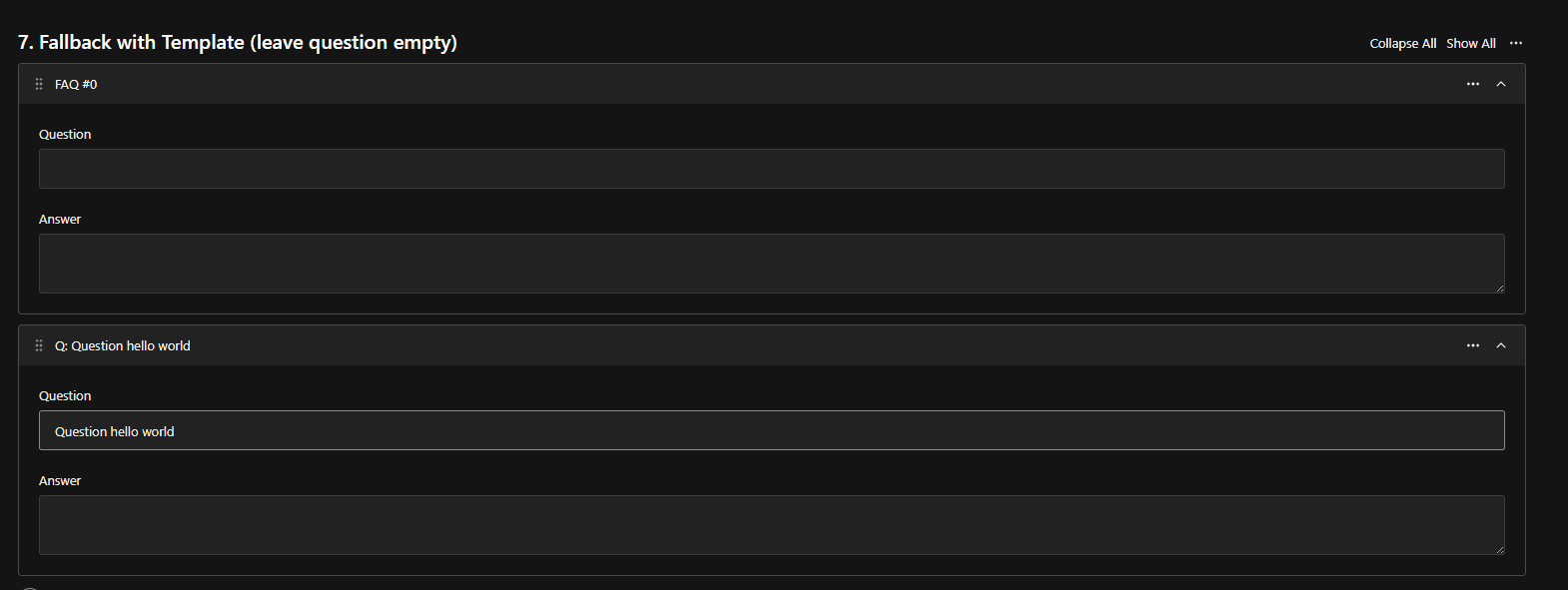
This component enhances the user experience when working with array fields by displaying meaningful labels instead of generic "Item 0", "Item 1" labels.
Installation
Use the following command to install the color picker field:
npx shadcn@latest add https://payload.veiag.dev/r/array-row-label.jsonImportant
Currently, shadcn CLI removes use client directive from the top of the files.
Please ensure to add it back to the top of index.tsx file in the color picker field directory.
I think this should be fixed in future releases of shadcn CLI.
Usage
Basic usage - Simple field
Display a single field value as the array item label:
import { customRowLabel } from '@/components/array-row-label/utility'

export const MyCollection = {
  slug: 'articles',
  fields: [
    {
      name: 'articleList',
      type: 'array',
      fields: [
        {
          name: 'title',
          type: 'text',
          required: true,
        },
        {
          name: 'content',
          type: 'textarea',
        },
      ],
      admin: {
        ...customRowLabel({ fieldToUse: 'title' }),
      },
    },
  ],
}
Nested field access
Use dot notation to access deeply nested fields:
import { customRowLabel } from '@/components/array-row-label/utility'

export const MyCollection = {
  slug: 'products',
  fields: [
    {
      name: 'inventory',
      type: 'array',
      fields: [
        {
          name: 'product',
          type: 'group',
          fields: [
            {
              name: 'name',
              type: 'text',
            },
            {
              name: 'sku',
              type: 'text',
            },
          ],
        },
      ],
      admin: {
        ...customRowLabel({ fieldToUse: 'product.name' }),
      },
    },
  ],
}
Template mode - Combine multiple fields
Use template syntax with {{variable}} to combine multiple values:
import { customRowLabel } from '@/components/array-row-label/utility'

export const MyCollection = {
  slug: 'team',
  fields: [
    {
      name: 'members',
      type: 'array',
      fields: [
        {
          name: 'firstName',
          type: 'text',
        },
        {
          name: 'lastName',
          type: 'text',
        },
        {
          name: 'role',
          type: 'text',
        },
      ],
      admin: {
        ...customRowLabel({
          fieldToUse: '{{firstName}} {{lastName}} - {{role}}',
          template: true,
        }),
      },
    },
  ],
}
With fallback label
Provide a fallback when fields are empty:
import { customRowLabel } from '@/components/array-row-label/utility'

export const MyCollection = {
  slug: 'slides',
  fields: [
    {
      name: 'presentation',
      type: 'array',
      fields: [
        {
          name: 'heading',
          type: 'text',
        },
        {
          name: 'content',
          type: 'textarea',
        },
      ],
      admin: {
        ...customRowLabel({
          fieldToUse: 'heading',
          fallbackLabel: 'Slide {{index}}',
        }),
      },
    },
  ],
}
Advanced - Template with index and fallback
import { customRowLabel } from '@/components/array-row-label/utility'

export const MyCollection = {
  slug: 'tasks',
  fields: [
    {
      name: 'taskList',
      type: 'array',
      fields: [
        {
          name: 'taskName',
          type: 'text',
        },
        {
          name: 'priority',
          type: 'select',
          options: ['low', 'medium', 'high'],
        },
        {
          name: 'status',
          type: 'select',
          options: ['pending', 'in-progress', 'completed'],
        },
      ],
      admin: {
        ...customRowLabel({
          fieldToUse: '[{{priority}}] {{taskName}} - {{status}}',
          template: true,
          fallbackLabel: 'Task {{index}}',
        }),
      },
    },
  ],
}
Screenshots
API Reference
Prop
Type
Template Variables
When template: true, you can use the following variables in fieldToUse and fallbackLabel:
{{index}}- The current row index (0-based){{fieldName}}- Any field value, supports dot notation for nested fields
Example:
fieldToUse: 'Item {{index}}: {{product.name}} ({{product.sku}})'
// Result: "Item 0: Widget Pro (WP-001)"
Features
- Simple Field Access - Display any field value as the array item label
- Nested Field Support - Use dot notation to access deeply nested fields
- Template Syntax - Combine multiple fields with custom formatting using
{{variable}}syntax - Fallback Labels - Automatic fallback when fields are empty for better UX
- Smart Empty Detection - Intelligently detects when all template fields are empty to trigger fallback
- Index Support - Include row index in labels with
{{index}}variable - TypeScript Support - Fully typed with proper TypeScript definitions
- Zero Configuration - Works out of the box with sensible defaults
Common Patterns
Product Catalog
customRowLabel({
  fieldToUse: '{{details.sku}} - {{details.productName}}',
  template: true,
  fallbackLabel: 'Product {{index}}'
})
Content Sections
customRowLabel({
  fieldToUse: 'Section {{index}}: {{heading}}',
  template: true,
  fallbackLabel: 'Section {{index}}'
})
Contact List
customRowLabel({
  fieldToUse: '{{contact.name}} ({{contact.email}})',
  template: true,
  fallbackLabel: 'Contact {{index}}'
})
Event Schedule
customRowLabel({
  fieldToUse: '[{{date}}] {{eventName}} - {{location}}',
  template: true,
  fallbackLabel: 'Event {{index}}'
})
Tips
Best Practices
- Always provide a fallback label for better UX when fields might be empty
- Keep labels concise - they appear in collapsed array items
- Use template mode when you need to combine multiple fields
- Use dot notation for nested fields:
parent.child.fieldName - Remember that
{{index}}starts at 0
Performance
The component uses React's useMemo hook to optimize label generation. Labels are only recalculated when the underlying data changes.